How to use this Theme in Lovable
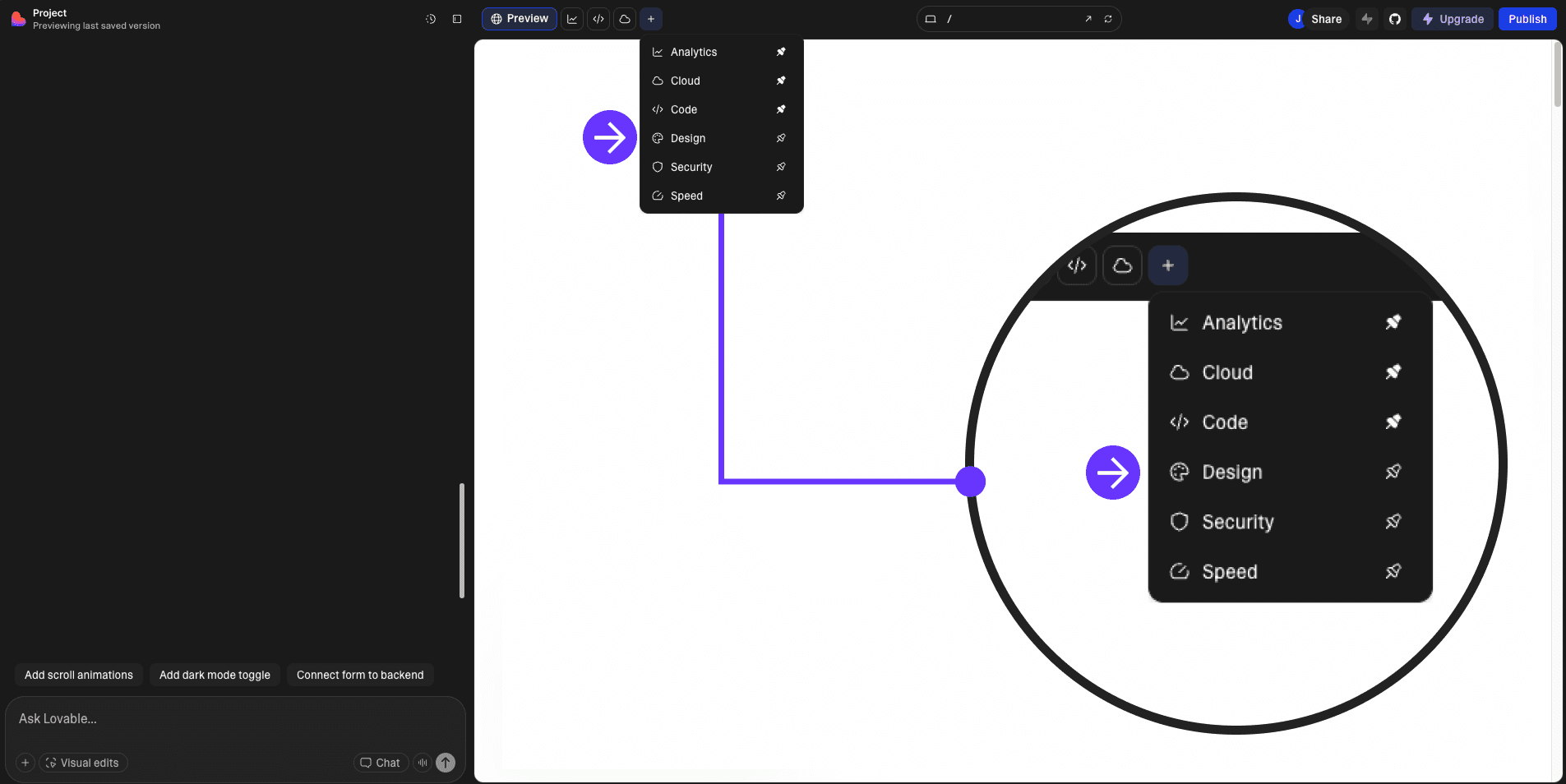
1. In your project, go to "Design" mode.
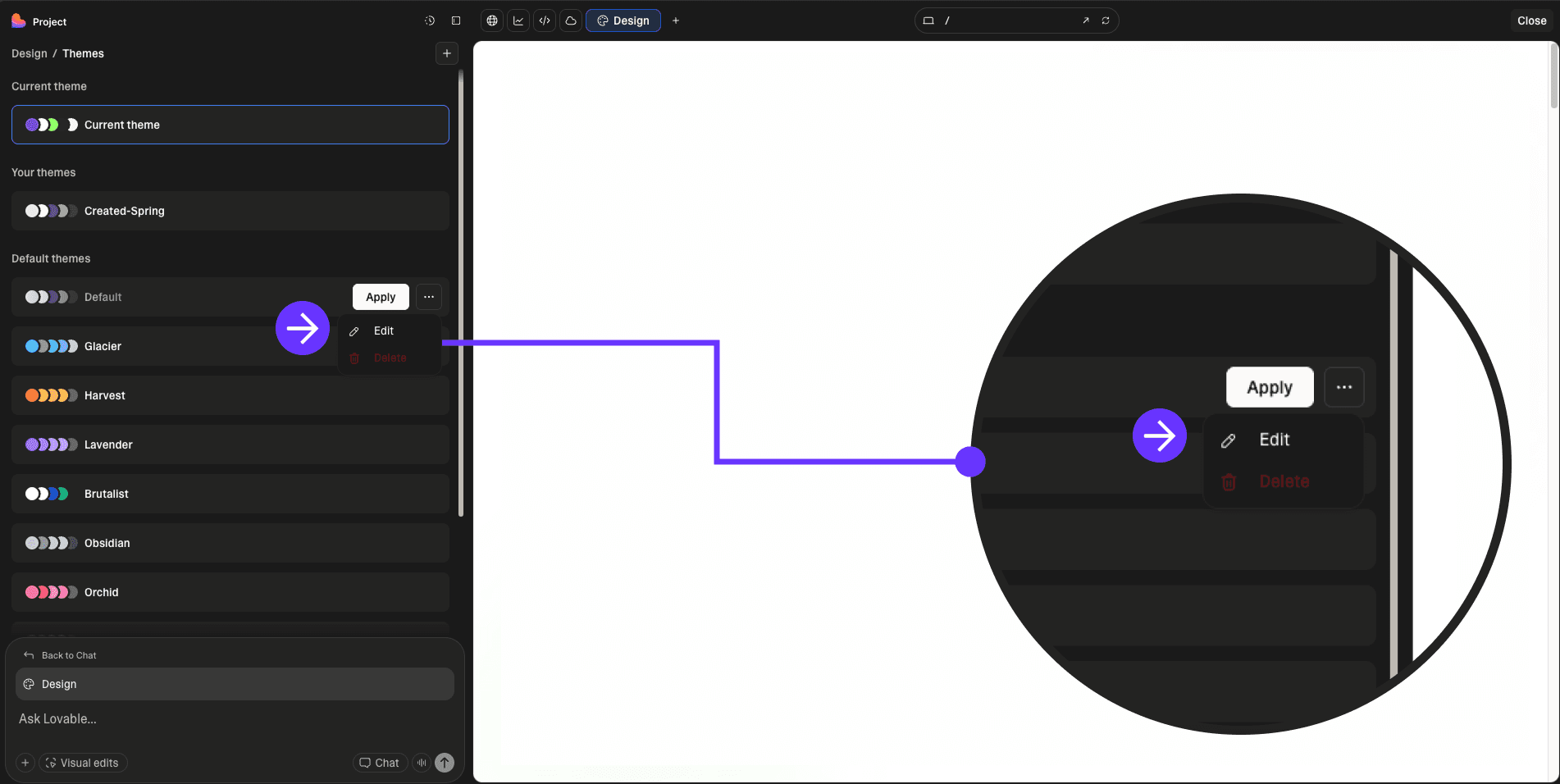
2. On any of the default themes, click on the three dots and select "Edit".
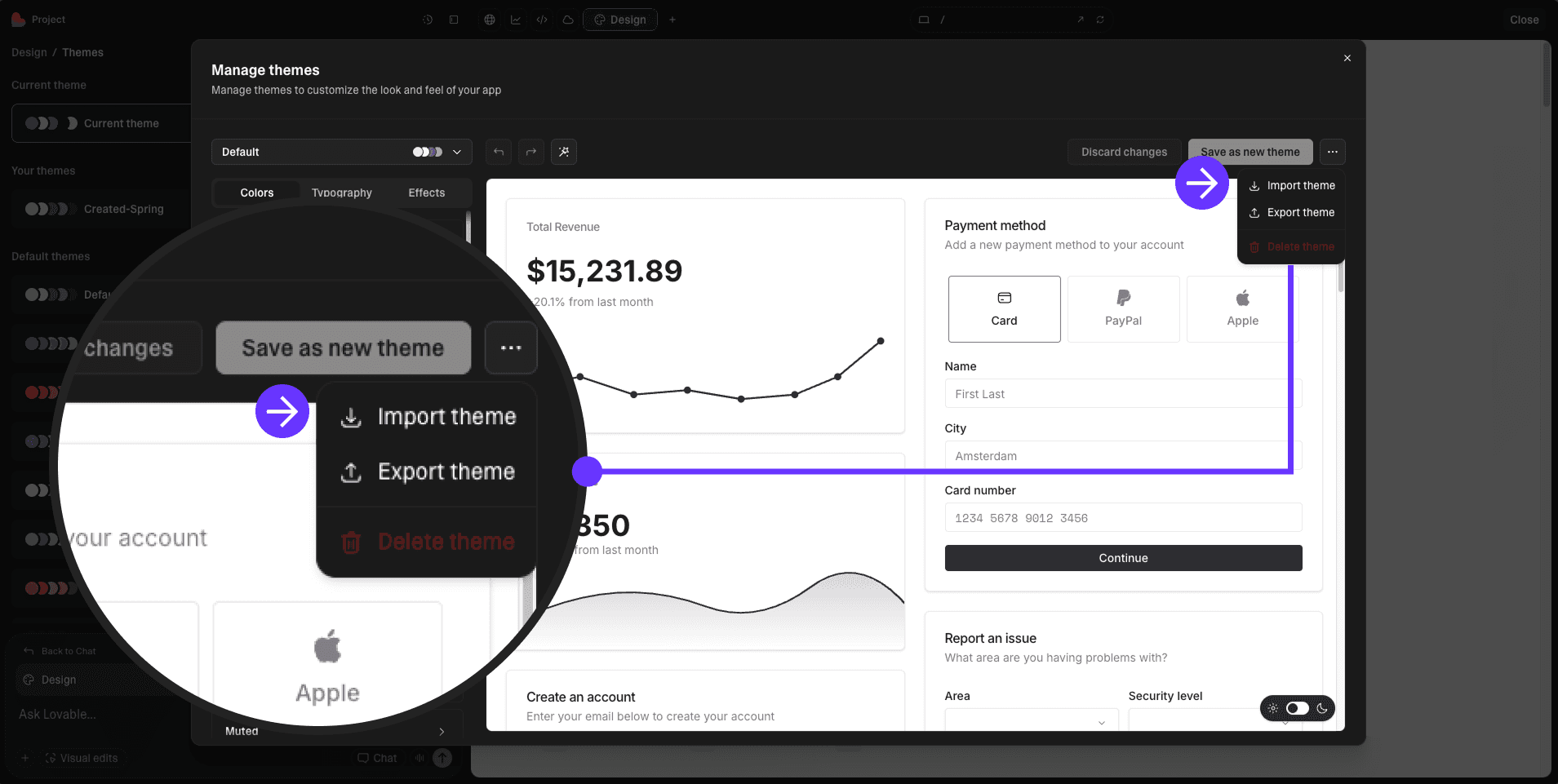
3. In the top right corner, click on the three dots and select "Import theme".
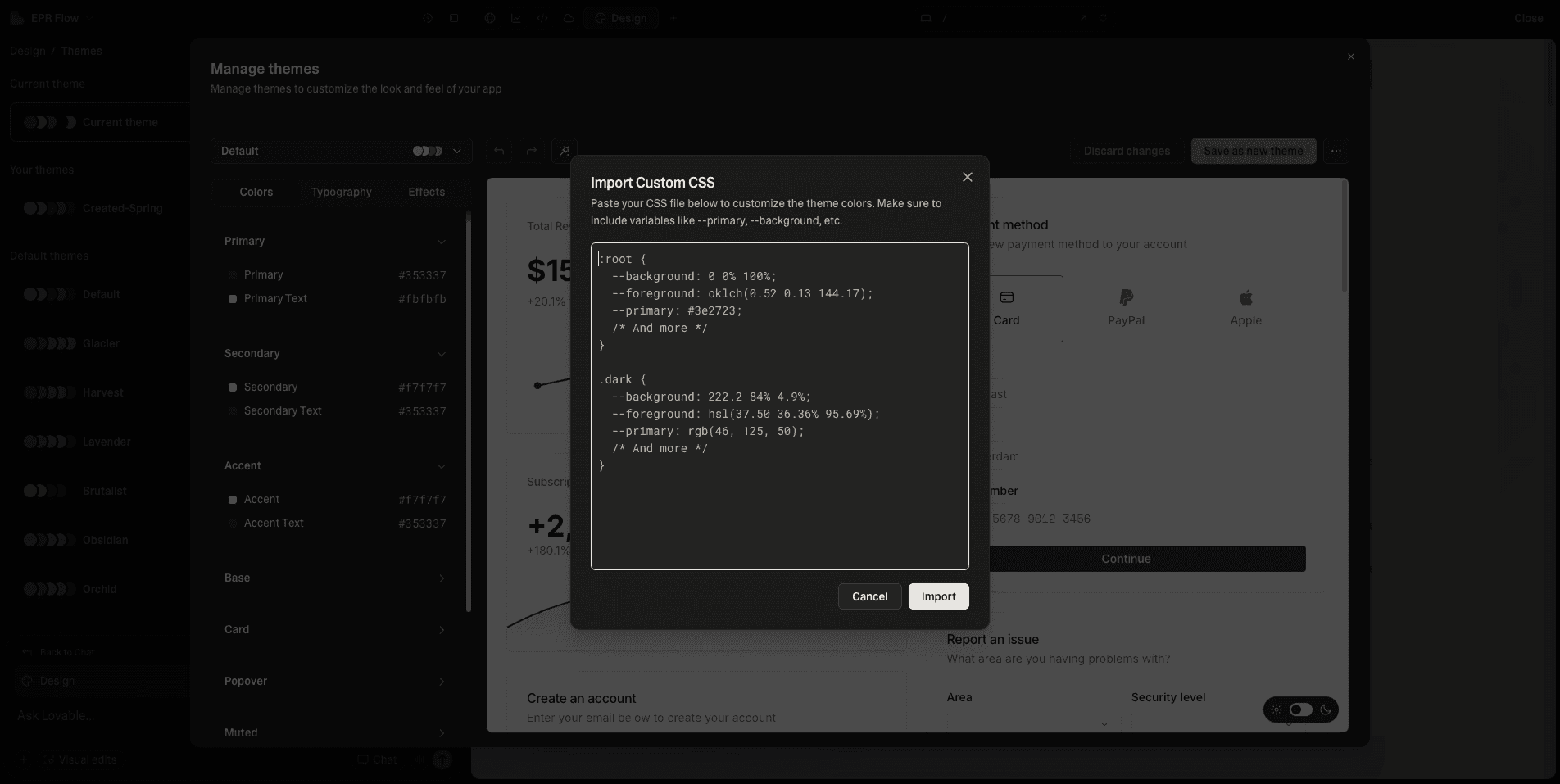
4. Paste the code you copied from Lovable Themes, and click "Import".